

How to place an order from chart |
ArthaChitra lets you place an order from the chart with ease. Please follow the below steps to know more:
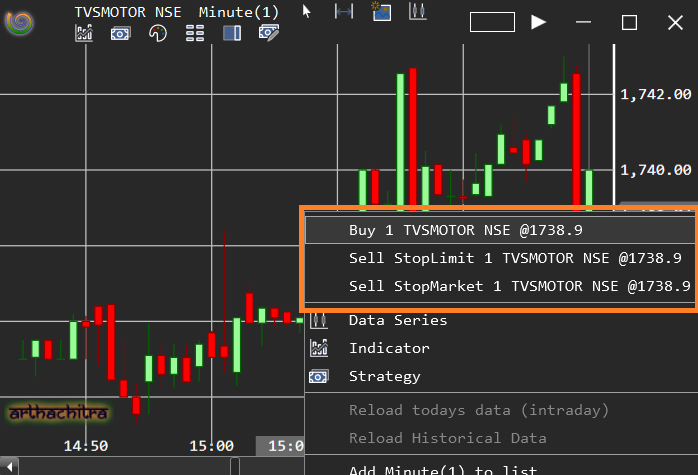
Move the mouse at your desired price level and right click on the chart
Click on the Buy or sell menu items as per your desire
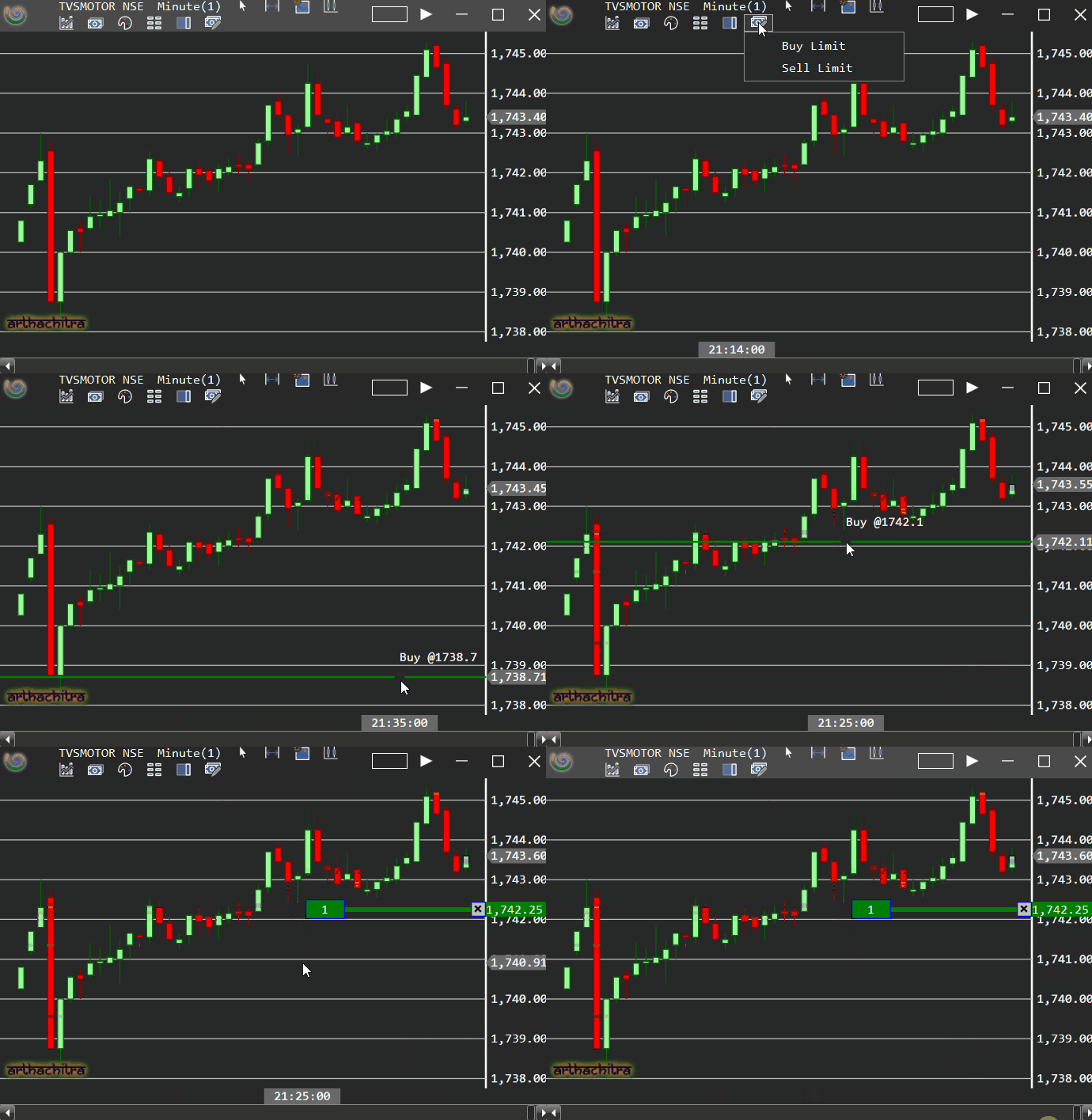
You can also place a limit order with a click of a mouse.
In the Menu click on the (+) or (-) menu item to place a Buy Limit or Sell Limit order
Move the mouse to your desired price level. Note, the mouse will be further highlighted by a horizontal line.
Click on your desired price to place an order
Note: You can always press the ESC key to cancel the order
 Note Note |
|---|
Please make sure to set the account, quantity and other params beforehand
|
 |  |
The Chart also have a chart trader panel on the right which presents various views like the Depth of Market (DOM)/Price ladder, Time and Sales view, Level-II view from which user can place an order.
To invoke the chart trader panel please follow the below steps:
In the chart menu bar select the 'Show Chart Trader' icon and click on the relevant menu item
You can also place complex order types like bracket orders etc at a click of a mouse using order templates. Please refer here to know more.