How to apply an indicator |
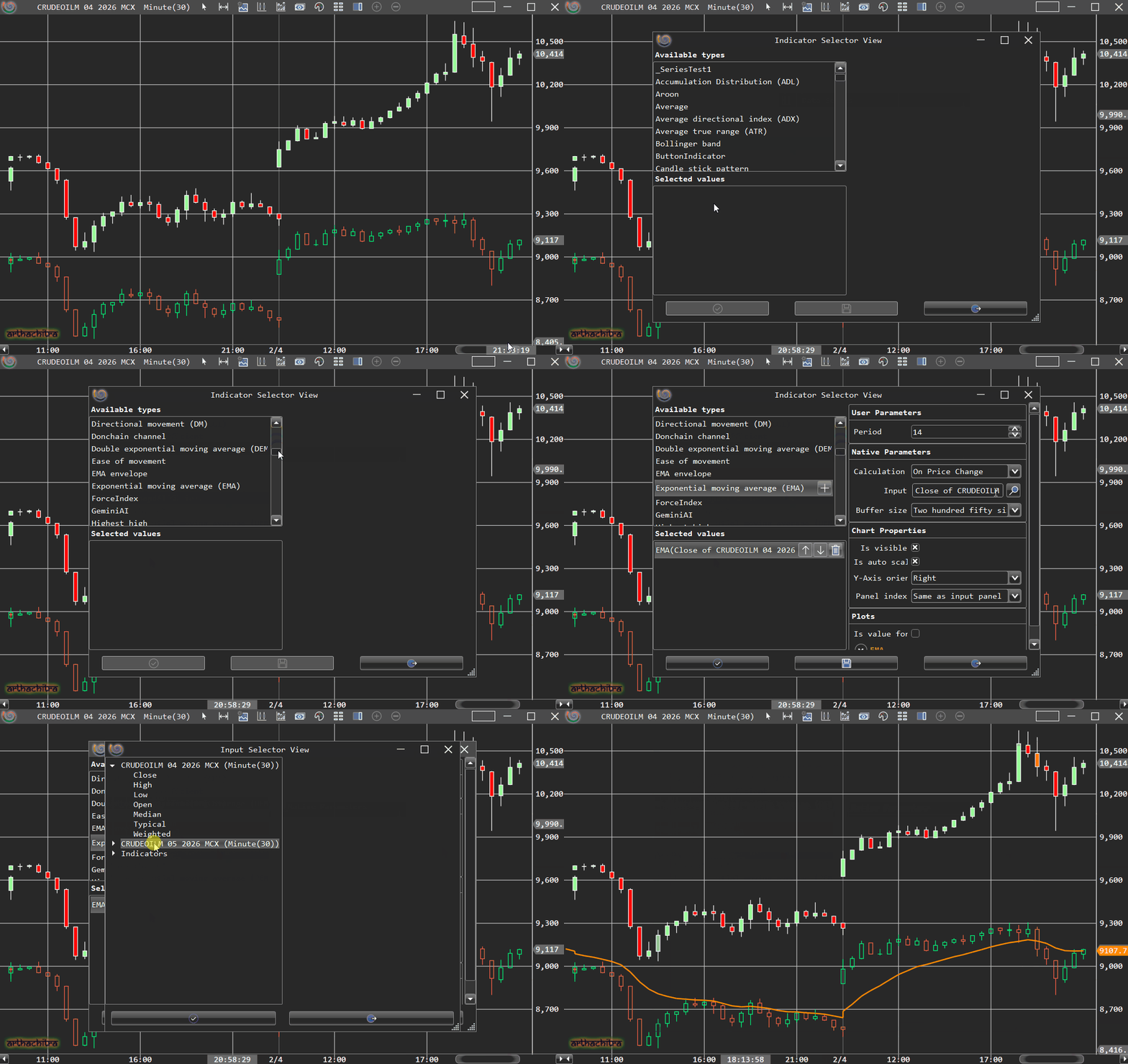
ArthaChitra natively comes with a host of indicators. Furthermore, user can also custom code their own indicators. To apply an indicator on the chart please follow the below steps:
Right click on the chart
In the context menu click on 'Indicators'
In the new dialog select the indicator you want to apply
Configure the indicator parameter as per your choice
Click OK
An indicator can be applied as a market scanner column also. Please refer here to know more.
 How to apply an indicator on a secondary bars
If you have multiple bars applied on a chart, you can apply an indicator on any particular bars. Please follow the below steps to do it:
Right click on the chart and in the context menu click on 'Indicator'
In the indicator dialog, select an indicator.
In the parameters pane click on the Input option
In the Input dialog select the secondary bars
Click Ok in both the dialog to apply the indicator